PSBMS Engineering ToolBACnet · Modbus · Network discovery

BACnet · Modbus · Network discovery · Windows

BACnet, Modbus and network discovery in one offline .exe

Discover.Validate.Document.

The field tool for BMS commissioning engineers and system integrators. It runs on your laptop, in the plant room, with no signal — no cloud, no account, nothing leaves the building.

Modbus RTU + TCP BACnet MS/TP + IP IP Scanner Offline

The trial unlocks the full Pro feature set for 14 days. Email only, one per machine. Exports stay watermarked during the trial.

Nothing leaves the building Fully offline. No cloud service, no telemetry, no login. Plant data stays on your machine.
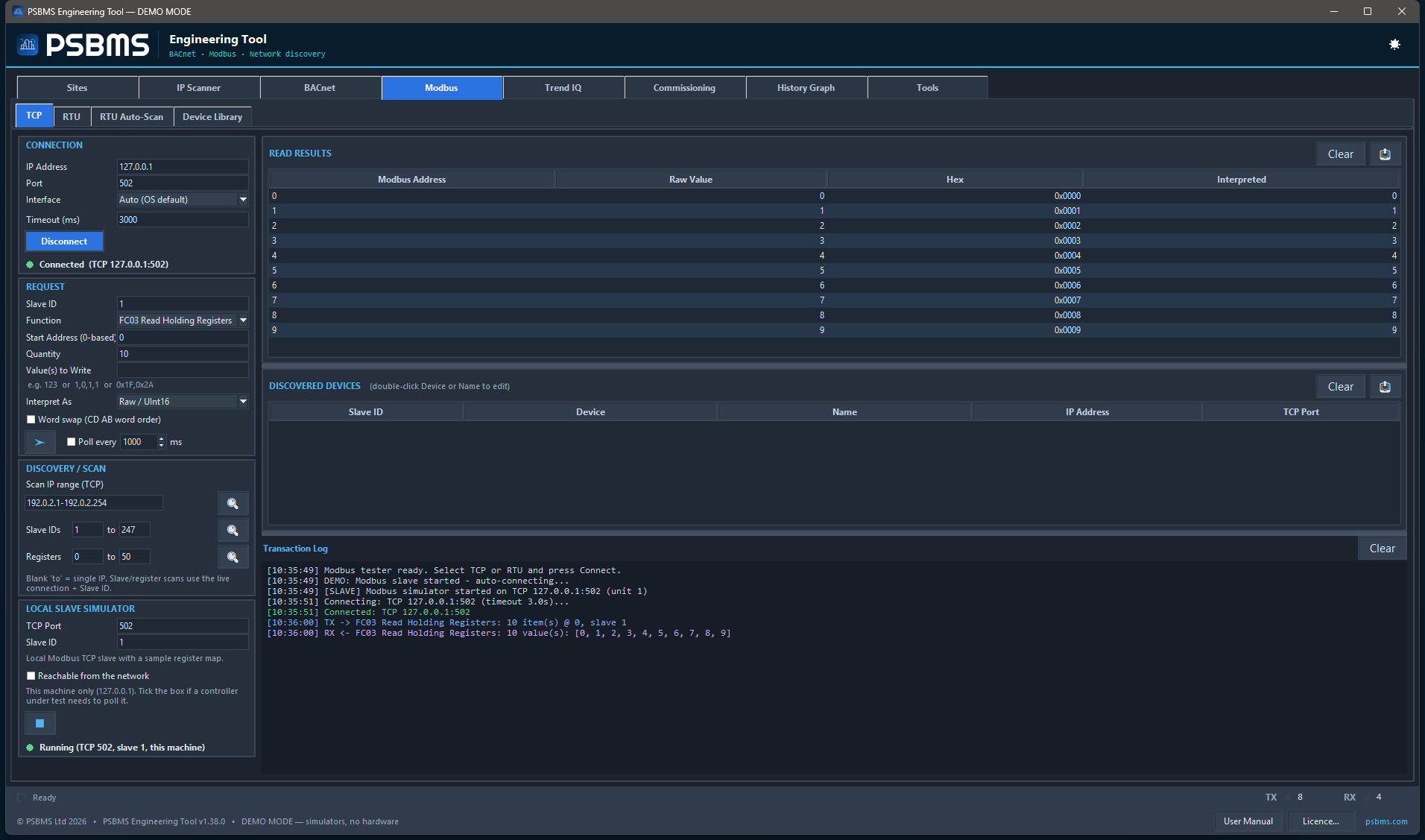
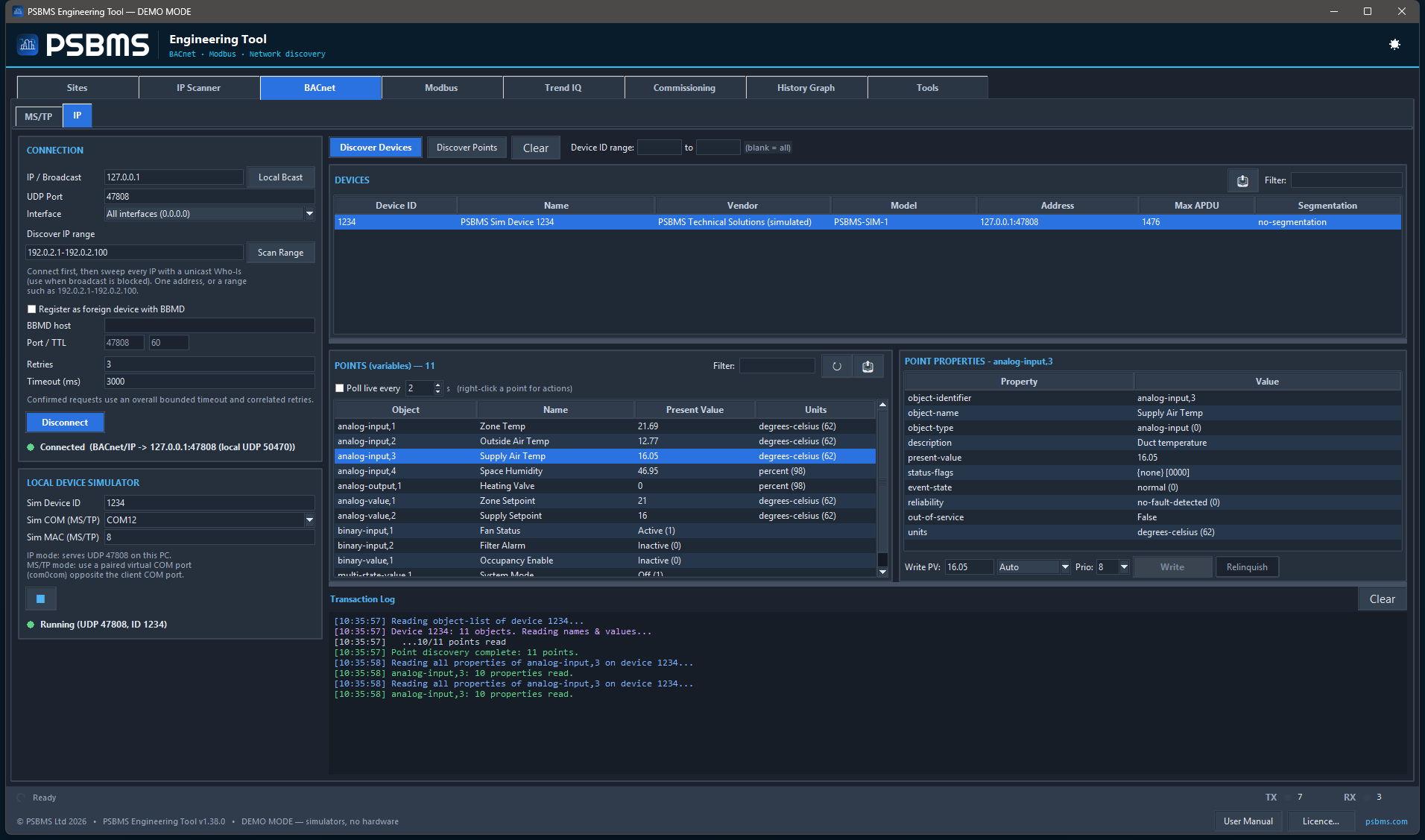
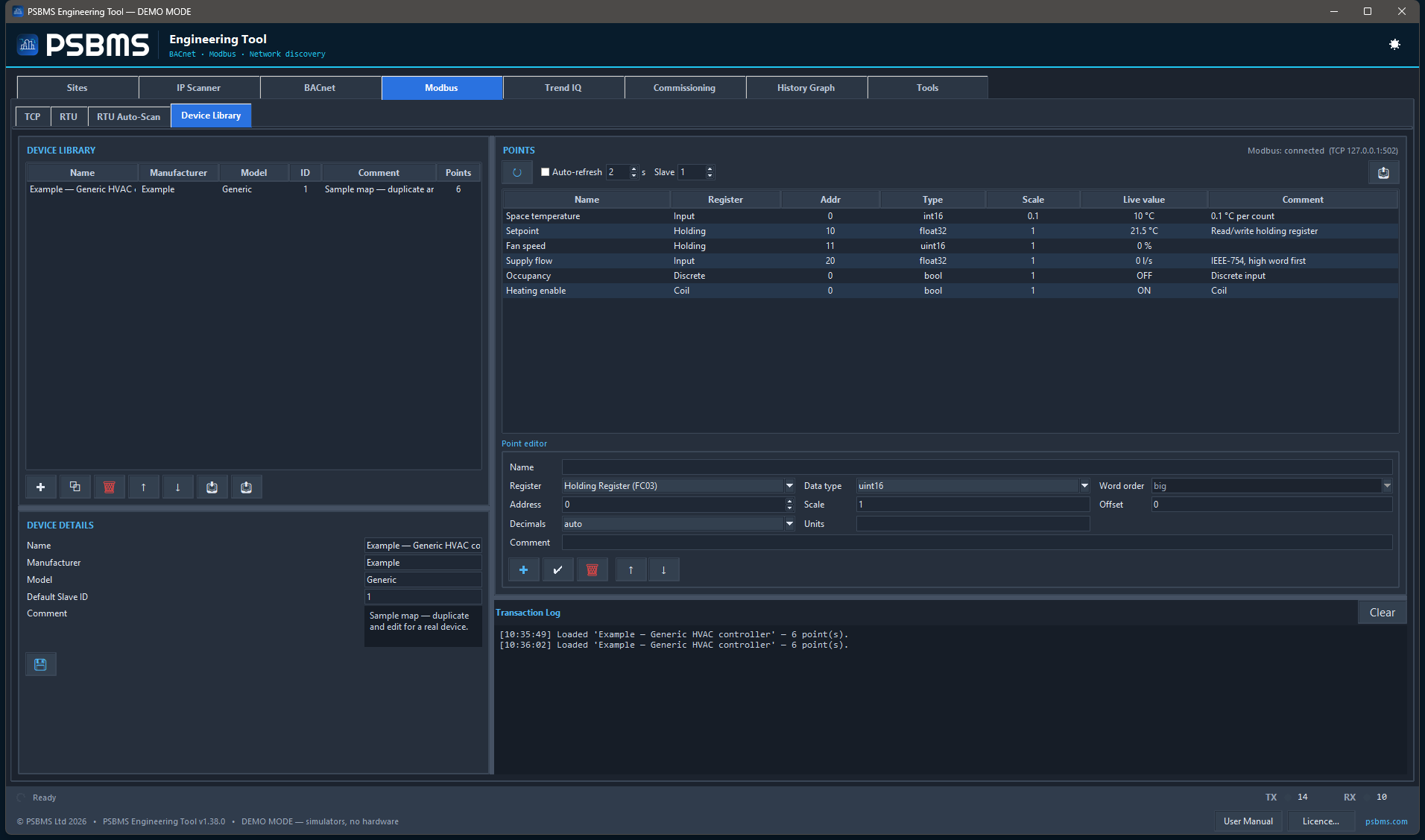
Every protocol in one executable BACnet (MS/TP + IP), Modbus (RTU + TCP) and a full IP scanner — usually three downloads, here one .exe.
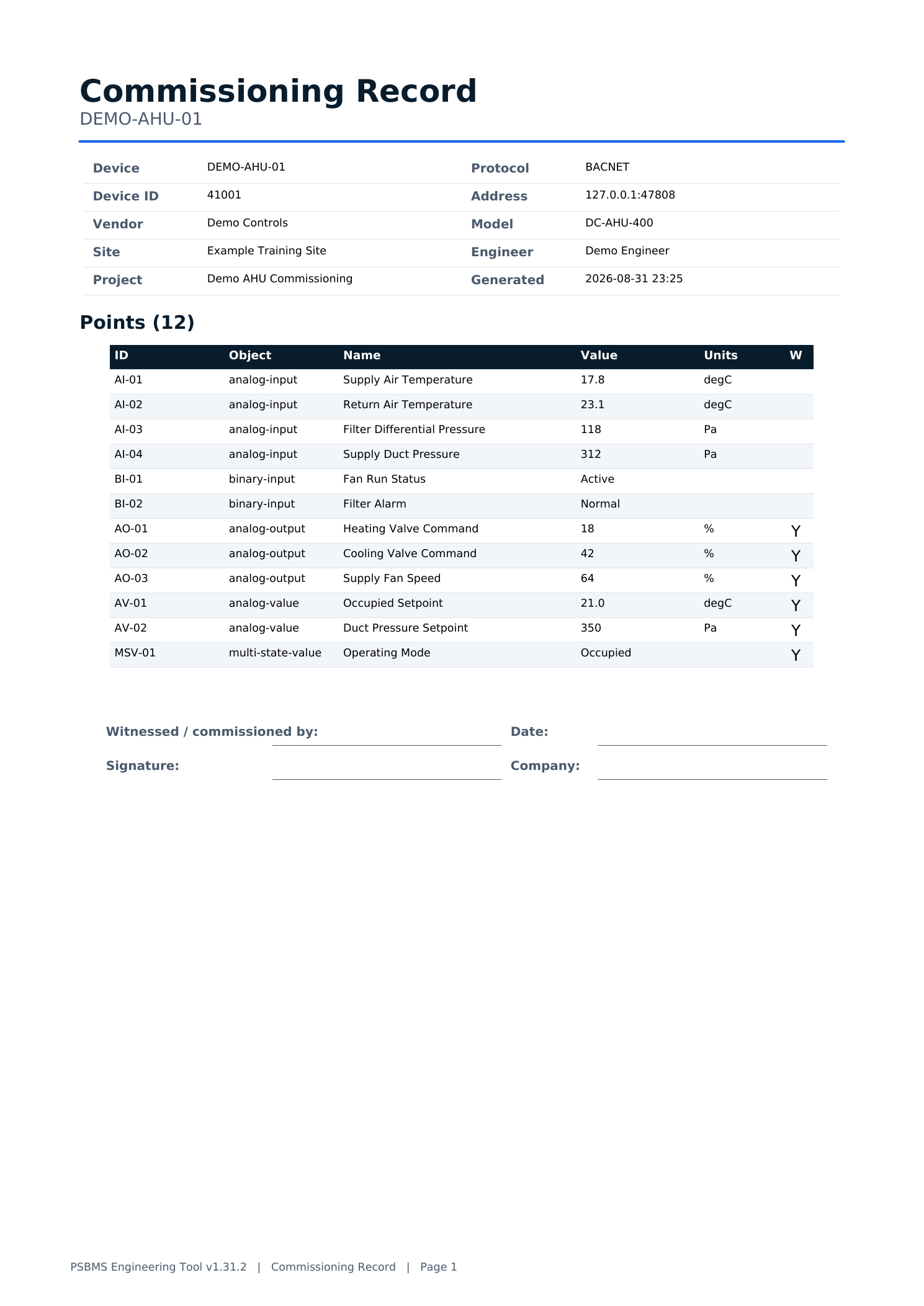
The record you hand the client Live trend logging, a branded PDF commissioning report and point-list conversion — the deliverables, not just the readings.

How it works

One connected workflow, discovery to deliverable

The same field kit carries you from a blank plant-room network to the branded record you hand the client — without switching tools.

  1. STEP 01

    Discover

    BACnet devices, Modbus slaves and every host on the subnet.

  2. STEP 02

    Interrogate

    Browse points, properties, registers and priority arrays.

  3. STEP 03

    Verify

    Write with intent, read back and inspect live status.

  4. STEP 04

    Trend

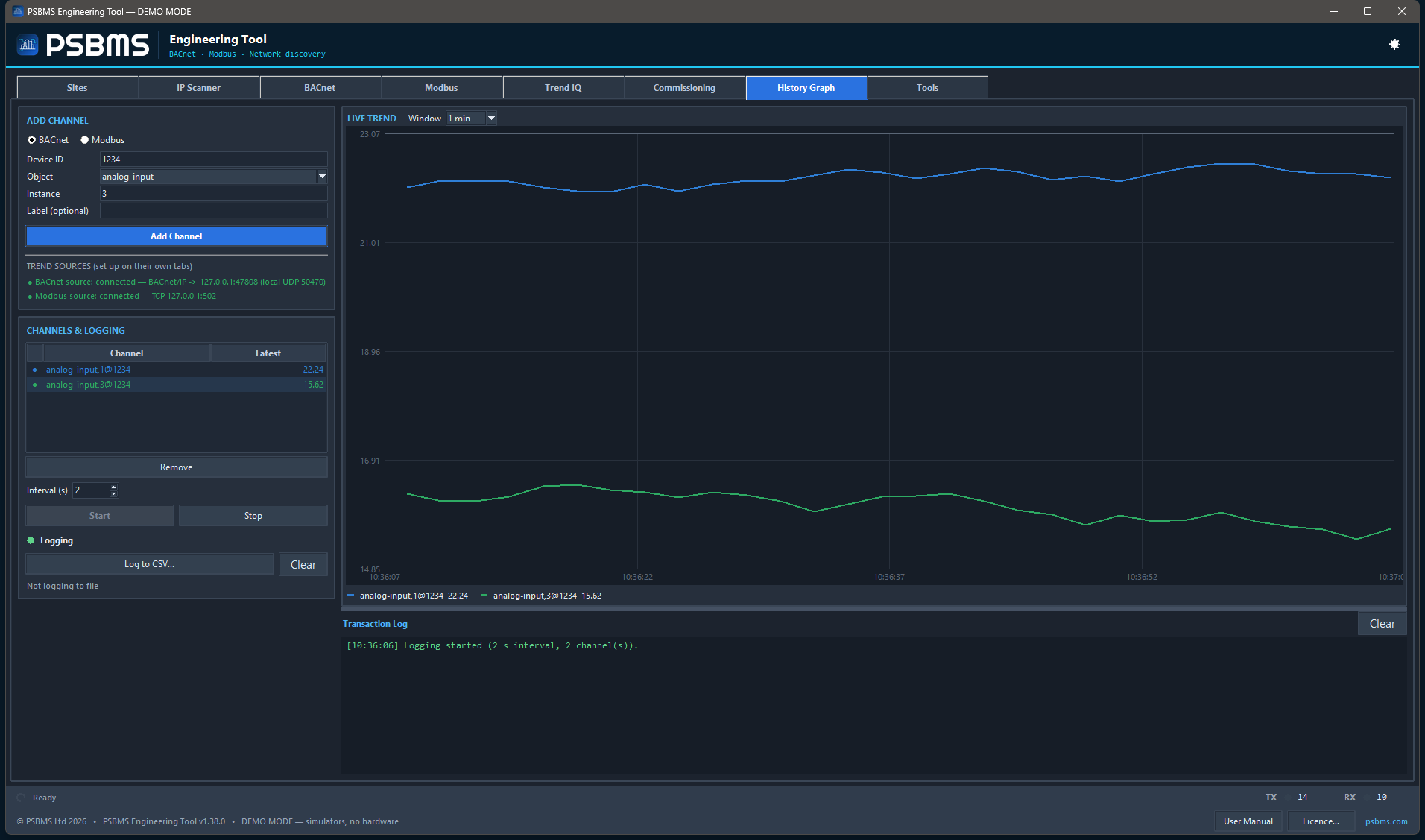
    Combine BACnet and Modbus values on one live chart.

  5. STEP 05

    Document

    Export point maps and a branded commissioning report with Pro.


New in v1.29 – v1.31

Now a full commissioning toolkit — still offline, still one .exe

Beyond discovery and trending, the tool now proves the system, documents it, and packs a bench-full of field engineering calculators.

Trend IQ discovery & site surveyFind every IP-networked Trend IQ3, IQ4 and IQ5 controller on the local network by broadcast, sweep a subnet, or survey a remote site across a VPN — reporting each controller’s exact type and firmware, LAN and outstation address, MAC, inter-device UDP port and virtual CNCs.
Commissioning suiteImport a design schedule (CSV/XLSX), match points exactly, capture as-found / as-left snapshots with field-level diffs, and export branded PDF evidence.
Network-health checksDetect BACnet device, address and network conflicts; flag timeout, retry, exception and latency issues; baseline, diff and export redacted support bundles.
BACnet operationsCOV subscriptions and notifications, ReadRange log retrieval, event-information browsing and controller clock-drift audit — over the same worker.
Engineering calculatorsSingle- and three-phase power, load current, fuse/MCB rating, preliminary cable sizing and voltage-drop — plus calibration, actuator/VFD and control-loop analysis.
PID controller simulatorAn offline, educational G/I/T controller with anti-windup, deadband and bumpless transfer against a first-order-plus-dead-time plant, with synchronized charts.
Sensor scaling & convertersLive Signal Scaler and Sensor Scaling curve previews, plus a live Hex / Dec / Bin converter with signed/unsigned 8-, 16- and 32-bit interpretations.


Plans

Read the plant for free. Pay to produce the record and work at scale.

Three plans, priced for a small trade, not a SaaS funnel. Prices ex-VAT; VAT or your country’s sales tax is added at checkout and a VAT invoice is provided.

Free · no account

Community

For every engineer with a laptop in a plant room. Browse, scan and read any network.

£0forever

No licence, no account, no expiry.

  • BACnet (MS/TP + IP): discover, browse, read all properties, priority arrays
  • Modbus RTU + TCP master — read FC 1–4 with interpretation
  • Full IP scanner — 52k IEEE OUI database, mDNS/LLMNR
  • Trend IQ discovery — find IQ3/IQ4/IQ5 controllers, local or across a site
  • Bench Tools — decoder, scaler, thermistor/RTD, subnet, reference
  • Single-device BACnet + Modbus simulators
  • Manual single writes (BACnet PV, Modbus FC 5/6) with confirm
  • History Graph — 2-channel live preview
  • Import / export & branded reports are Pro (or the 14-day trial)
Most popular

Per engineer

Pro

For the engineer who hands a deliverable to a client — branded reports, conversions, trend logs.

£190/ year 2 months free

Or £249 one-time perpetual + £69/yr maintenance (updates + support; lapse and you keep your last build).

  • Everything in Community, plus:
  • Converters — point-list import/export (CSV, Excel, JSON, .ppm.json) plus Trend/Niagara migration
  • Unwatermarked branded commissioning report — PDF + CSV
  • Unlimited History Graph channels
  • Saved connection profiles / per-site memory
  • Bulk, cyclic and scripted writes; high-concurrency scans
  • Email support

The 14-day trial opens the full Pro feature set — email only, no card.

For teams

Site & Enterprise

For firms that would rather not count seats. Every engineer, one licence.

£990/ year · Site

Per company site, unlimited engineers. Cheaper than per-seat from ~6 engineers up.

  • Everything in Pro, for everyone on site
  • One licence for the whole site — no seat counting

Enterprise — from £2,500/yr. Everything in Site, plus floating / concurrent seats, central activation and seat management, priority support, custom branding and onboarding.
Talk to us about Enterprise →


Full comparison

What’s in each tier

Reading the plant is free. Producing commissioning deliverables and working at scale is paid.

Capability Community Pro Site Enterprise
BACnet discovery, browse, read-all-properties, priority-array
Modbus master read (FC 1–4) + interpretation
IP Scanner (full, incl. IEEE OUI DB, mDNS/LLMNR)
Bench Tools (decoder / scaler / thermistor / RTD / units / subnet)
Single-device BACnet + Modbus simulator
Manual single writes (BACnet PV / Modbus FC 5,6) with confirm
History Graph — live chart2-channel unlimited
Data import / export — CSV in & out, Excel, JSON, trend→CSV
Branded commissioning report (PDF)
Converters — point-list conversion, .ppm.json, Trend/Niagara
Saved connection profiles / per-site memory
Bulk / cyclic / scripted writes, high-concurrency scans
Floating / concurrent seats, central activation, seat management
Support, custom branding, onboardingemailemail priority

Site is a per-site licence for unlimited engineers; it does not use floating/concurrent seats or central activation — those are Enterprise features.


How licensing works

Plain mechanics, no lock-in games

Here is exactly what happens — before you pay and after.

14-day trial

Full product, one click, no card

Email address only — no account to create. Unlocks the full Pro feature set, so you can put the whole thing on a real job. The catch: exports stay watermarked until there’s a paid licence on the machine. One trial per machine.

Offline-first activation

Works in an air-gapped plant room

A licence is a signed code (RSA-2048) locked to one machine — PSBMS holds the private key, the app only verifies. No signal? The app shows your Machine ID, you send it, we mint the code, you paste it in. No agent, no phone-home, no telemetry.

Checkout & VAT

Tax handled, invoice issued

Payment runs through a Merchant of Record (Paddle / Lemon Squeezy), so VAT and US sales tax are calculated and collected correctly for your country. Prices are ex-VAT; a proper VAT invoice comes with every purchase.

Renewal & grace

Never locked out mid-commission

While a subscription is active the licence renews automatically. If a renewal can’t reach us because you were offline, a 14-day offline grace period keeps Pro running, and you can re-activate any time by pasting a fresh code.

Cancellation & capex

Cancel and it downgrades — never bricked

Cancel and the licence simply stops renewing; at expiry the tool drops to Community (free). Your saved sites, profiles and logs stay on disk — import/export and the branded report simply lock (they’re Pro features). Prefer to buy outright? Take the perpetual licence: £249 one-time + £69/yr optional maintenance — let maintenance lapse and your last build keeps running.


FAQ

The questions a commissioning engineer actually asks

Do I need an account for the free version?
No. Community is a single .exe — download it, run it, use it. No sign-up, no login, no email, no licence key. You only hand over an email address if you start the 14-day trial or buy a licence. Everything in the free tier works the moment the file opens.
What exactly is free, forever?
The read-the-plant kit, no time limit and no nag: BACnet discovery/browse/read-all-properties/priority-array (MS/TP and IP), Modbus master reads (FC 1–4), the full IP scanner, every Bench Tool, the single-device simulators, manual single writes with confirm, and the History Graph as a live 2-channel preview. Importing and exporting data — CSV/Excel/JSON and the branded PDF report — is a Pro feature (or the 14-day trial). What you pay for is the professional workflow — unlimited trend channels, clean branded reports, saved sites, bulk/scripted writes and Converters. We don’t charge for anything YABE, an IP scanner and a lite Modbus tool already give you — we just put them in one exe.
Does it phone home, or send my site data anywhere?
No. Nothing leaves the building. The tool talks to your BACnet and Modbus devices and scans your network — that’s the whole of its outbound traffic, unless you ask it to check for updates. No telemetry, no analytics, no cloud sync, no account. Your point lists, logs and reports live on your laptop and nowhere else. Licence activation is a code you paste, and it can be done entirely offline. The tool never contacts us by itself — only when you press Check for updates in its About window, which asks tool.psbms.com for the latest version number and sends nothing about you, your sites or your controllers.
Can I activate offline, in an air-gapped building?
Yes. Read your Machine ID in the app, send it to us, we mint a signed licence code, you paste it back in — no signal needed in the plant room. Licences are RSA-2048 signed and machine-locked. If a subscription renewal can’t reach you before expiry, a 14-day offline grace period covers the gap so you’re never locked out halfway through a commission.
Subscription or perpetual — which should I buy?
£190 / year is what most people want — two months cheaper than monthly, always on the current build. £19 / month if you’d rather switch it off between contracts. £249 one-time perpetual + £69 / year maintenance if you prefer to own it — maintenance buys updates and support, and if you let it lapse your last build keeps working. Rule of thumb: steady year-round use points to annual or perpetual; occasional use points to monthly.
What happens if my subscription lapses or I cancel?
It downgrades gracefully to Community. A cancelled subscription simply stops renewing, and at expiry you drop to the free tier. Nothing is bricked and nothing is deleted — your saved sites, profiles, logs and reports stay on disk. Import/export and the other paid features lock until you renew. A perpetual licence keeps working — only the optional maintenance renews.
Can I move my licence to a new laptop?
Yes. Because licences are machine-locked, a new machine needs a re-issue — email us the new Machine ID and we’ll move it. It’s a routine request, not a negotiation; we only ask that you retire it on the old machine. Teams that reimage laptops often are better on Enterprise floating seats, which handle the move without asking us each time.
Per-seat or Site — when does Site become cheaper?
Per-seat Pro is £190 / year. The Site licence is £990 / year for one company site, unlimited engineers. Past roughly six engineers Site works out cheaper, and you stop counting seats. Beyond that, Enterprise (from £2,500 / year) adds floating seats, central activation, seat management and priority support.
How is VAT handled? Can I get an invoice?
Prices are ex-VAT. Checkout runs through a Merchant of Record, which adds the correct VAT or sales tax for your country and issues a proper VAT invoice automatically. Enter your company VAT number at checkout for reverse-charge or zero-rating where it applies. You get an invoice by email you can hand straight to accounts.
What’s your refund policy?
We offer a 14-day money-back guarantee on your first purchase — email us within 14 days and we’ll arrange a refund through our payment provider (Paddle / Lemon Squeezy), subject to its refund terms. We’d genuinely rather you trialled first (the free trial unlocks the full Pro feature set), but the guarantee is there for anything the trial didn’t catch.

Ready when you are

Download the free kit, or trial Pro for 14 days

Community is a single offline .exe — no account, no card, no expiry. When you need the deliverables, the trial opens the full Pro feature set with one click.

v1.41.6 · Windows 10 / 11 64-bit · 22 MB installer · offline, no account
🔒 Signed — Windows shows the verified publisher PSBMS LIMITED (Microsoft Azure Artifact Signing, timestamped).
First run on Windows: you may see a SmartScreen prompt — click More info → Run anyway. It’s the genuine PSBMS LIMITED build (the prompt fades as more people install it).
No admin rights? Portable .zip — extract and run, 57 MB.
📖 User Manual (PDF) — also built into the app (footer → User Manual) and installed with it, so it’s there offline.
SHA-256 checksums
Installer · A9E21E826E721A0529DAD95EB7234FDE2E73DE0C9DC493F3A2CF7AFAB8EF3333
Portable · 99CD8CED38C62AE4BB134D2AC30394C8D651151CFA7F671CD2B781B9BC238063
Signed · PSBMS LIMITED Offline-first Nothing leaves the building RSA-2048 machine-locked VAT invoice provided Cancel anytime · never bricked Secure checkout — Paddle / Lemon Squeezy